How do I get the Analytics report by email in SyBox?
Updated
In SyBox, this is done in Analytics.
How to get the Analytics report by email
- Go to Settings > Workspace > Analytics. The "Email this report" card is there.
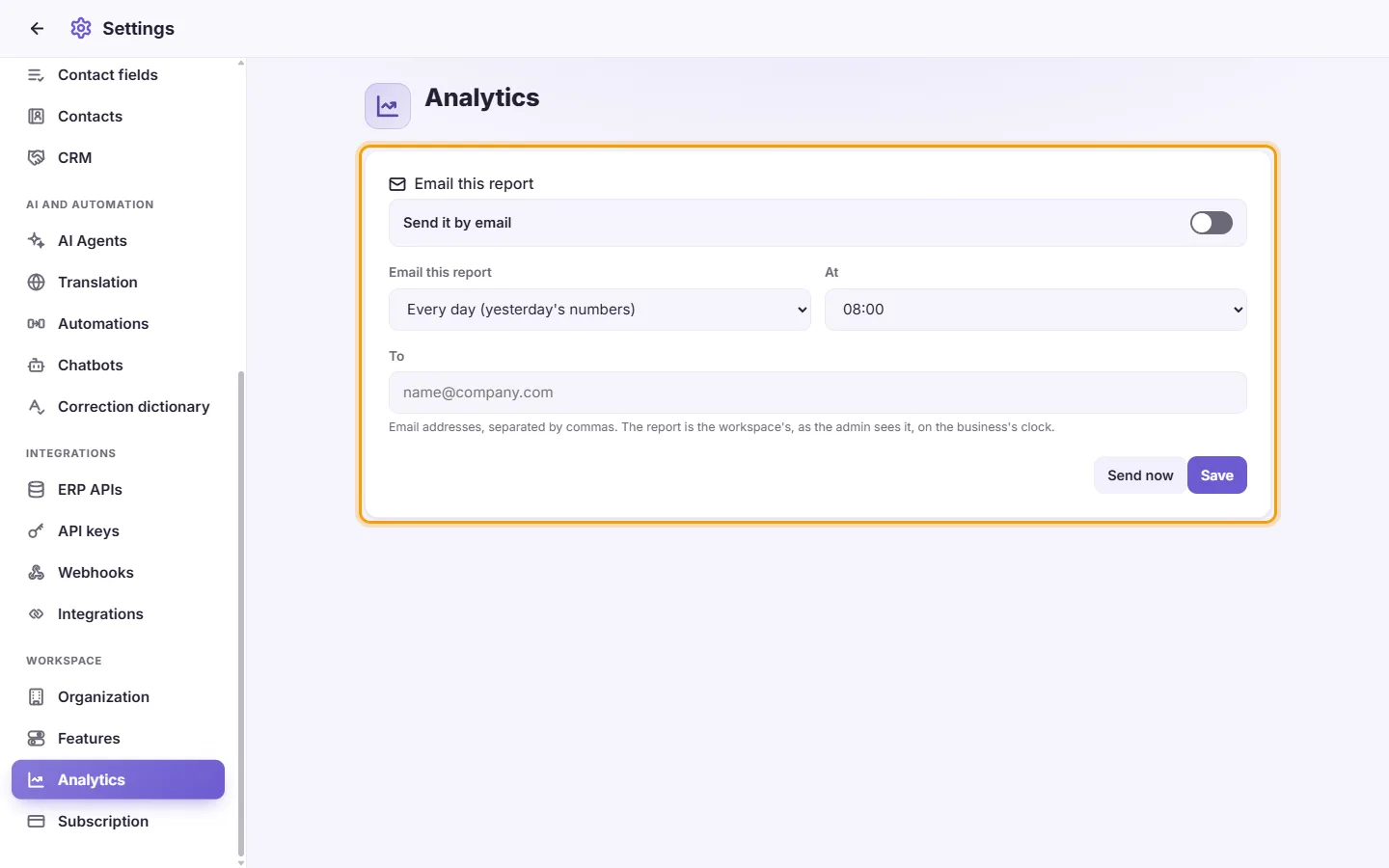
- Switch on "Send it by email" and choose "Every day (yesterday's numbers)" or "Every week (the last 7 days)". For a weekly report, choose the day in "On".
- Choose the hour in "At", and type the addresses in "To", separated by commas.
- Click "Save". "Send now" sends one at once to check it, without saving.
The mail has the totals, the first-reply time and the team table, with an "Open Analytics" button. It is the workspace's report, as the admin sees it, on your business's clock. The Analytics tab in Settings shows only for someone with both "Manage organization settings" and "View analytics".
More about Analytics.