How do I choose who writes with AI in SyBox?
Updated
In SyBox, this is done in Settings > AI and automation > Translation.
How to choose who writes with AI
- Go to Settings > AI and automation > Translation.
- In "Write with AI using", choose "SyBox (default)" or one of your AI agents.
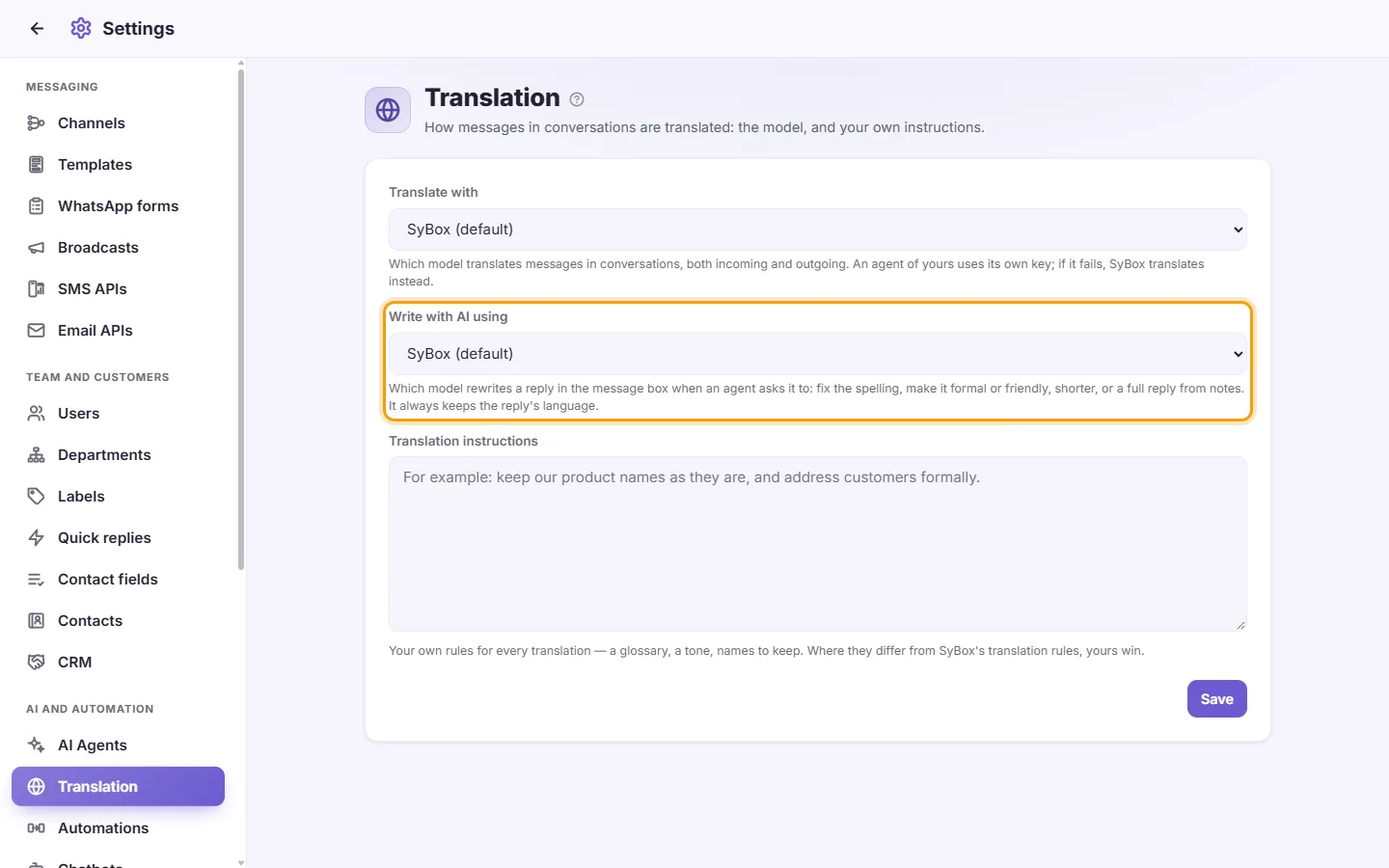
- Click Save.
This is the model behind the ✨ "Write with AI" button in the message box (see "How to improve a message with AI"). It always keeps the reply's language. If your agent fails, SyBox writes instead.
Questions
Why was a message not translated?
A message that is only a link, an address, an @ mention or a code (an order number, a verification code) has nothing to translate, so it is shown as it is.
Translation doesn't work in my conversations.
Check that "Translate messages" is on in Settings > Workspace > Features. If you chose your own agent in "Translate with", check that agent's card in AI Agents for a "Last error".
My agent doesn't appear in the "Translate with" list.
Only agents with an API key are listed. Open AI Agents and check that the agent exists and has a key.
Can I keep certain words untranslated?
Yes. Write them in "Translation instructions", for example "Never translate the names X, Y and Z."
More about Translation.