How do I edit a user in SyBox?
Updated
In SyBox, this is done in Settings > Team and customers > Users. 1) Click the pen (Edit) on the user's card. 2) Change what you need and click "Save". 3) To keep their current password, leave Password empty ("leave blank to keep current").
How to edit a user
- Click the pen (Edit) on the user's card.
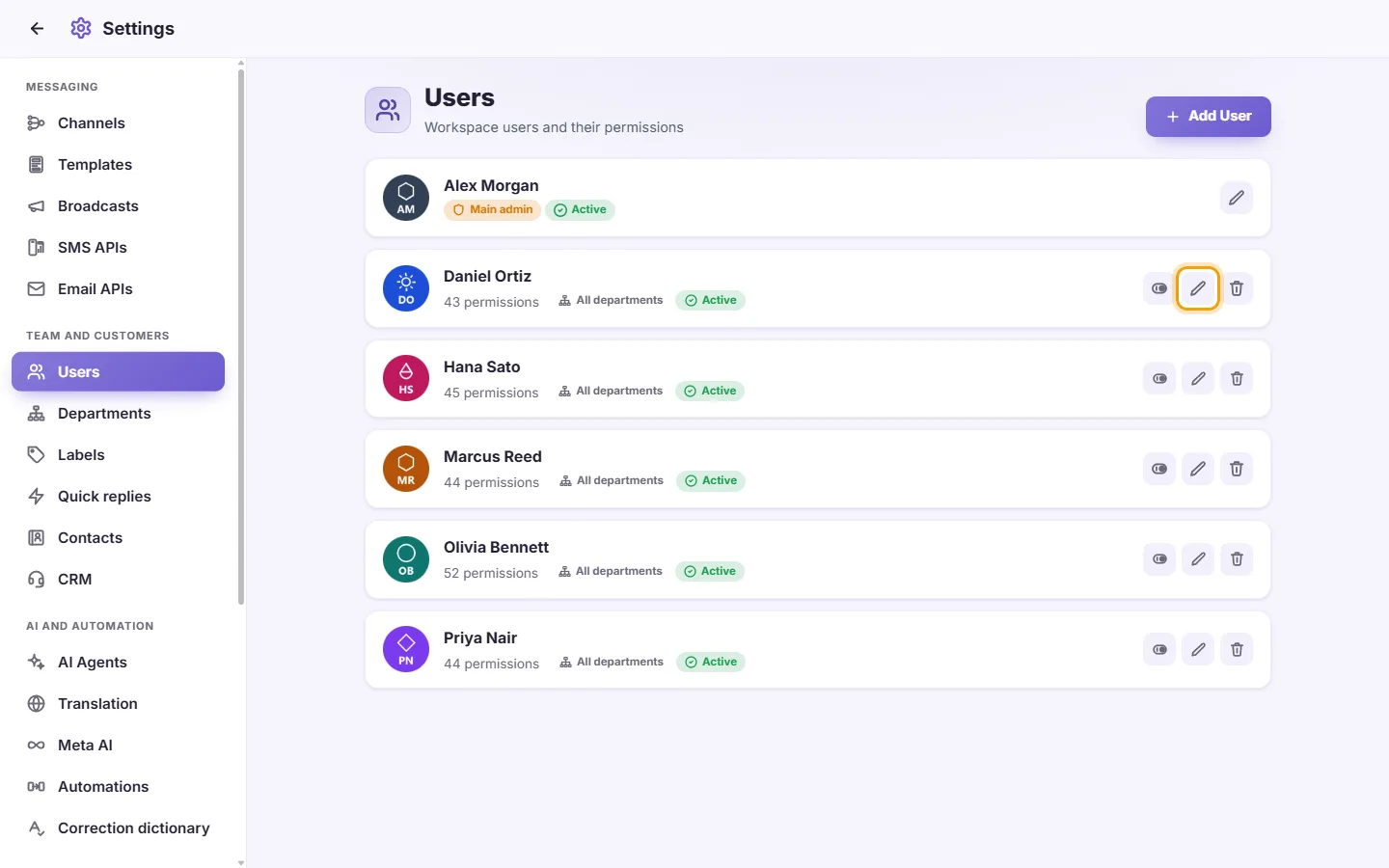
- Change what you need and click "Save".
- To keep their current password, leave Password empty ("leave blank to keep current").
Notes:
- If you change a user's password, they are signed out on their other devices.
- If you change a user's permissions or scopes, their open SyBox screen refreshes itself so the change applies straight away. They are not signed out.
- Changing only a name or picture does not affect their session.
Questions
How do I add a new agent?
Go to Settings > Users and click "Add User". Enter a name and a password of at least 4 characters, tick their permissions, then click "Save". They sign in with that name and password.
How do I limit a user to one department?
Edit the user. Under "Access scope", next to "Departments", click "Only", tick the department, then click "Save". If they should also put customers only into that department, set "Departments they can assign" the same way.
How do I stop an agent from seeing customers' phone numbers?
Edit the user, untick "Show contact number" in the Inbox section, then click "Save".
How do I let an agent see only their own conversations?
Edit the user. Untick "See conversations assigned to others", and untick "See unassigned conversations" if you want that too. Then click "Save".
How do I limit an agent to one WhatsApp number?
Edit the user. Under "Access scope", set "Channels (read)" to "Only" and tick that number. Set "Channels (send)" the same way if they should only send from it. Then click "Save".
An employee left. Should I delete or disable them?
Disable them if you may need them again. They are signed out at once and cannot sign in. Delete them if they will not come back. Deleting cannot be undone.
I gave a user new permissions but they don't see the change.
Their open screen refreshes itself when permissions change. If they were offline, the change applies the next time they use SyBox.
I can't find the main admin in the list.
Only the main admin can see and edit their own card. Other managers do not see it.
Why can't I delete or disable myself?
This stops you locking yourself out. Ask another user who has "Manage users" to do it.
Can I give one user the same permissions as another?
Yes. In the user form, use "Copy permissions from", check the ticks, then click "Save".
More about Users.