How do I send marketing templates through Meta's Marketing Messages API in SyBox?
Updated
In SyBox, this is done in Settings > Workspace > Features.
How to send marketing templates through Meta's Marketing Messages API
- Go to Settings > Workspace > Features.
- Switch on "Send marketing templates through Meta's Marketing Messages API (optimised delivery)". It is off by default.
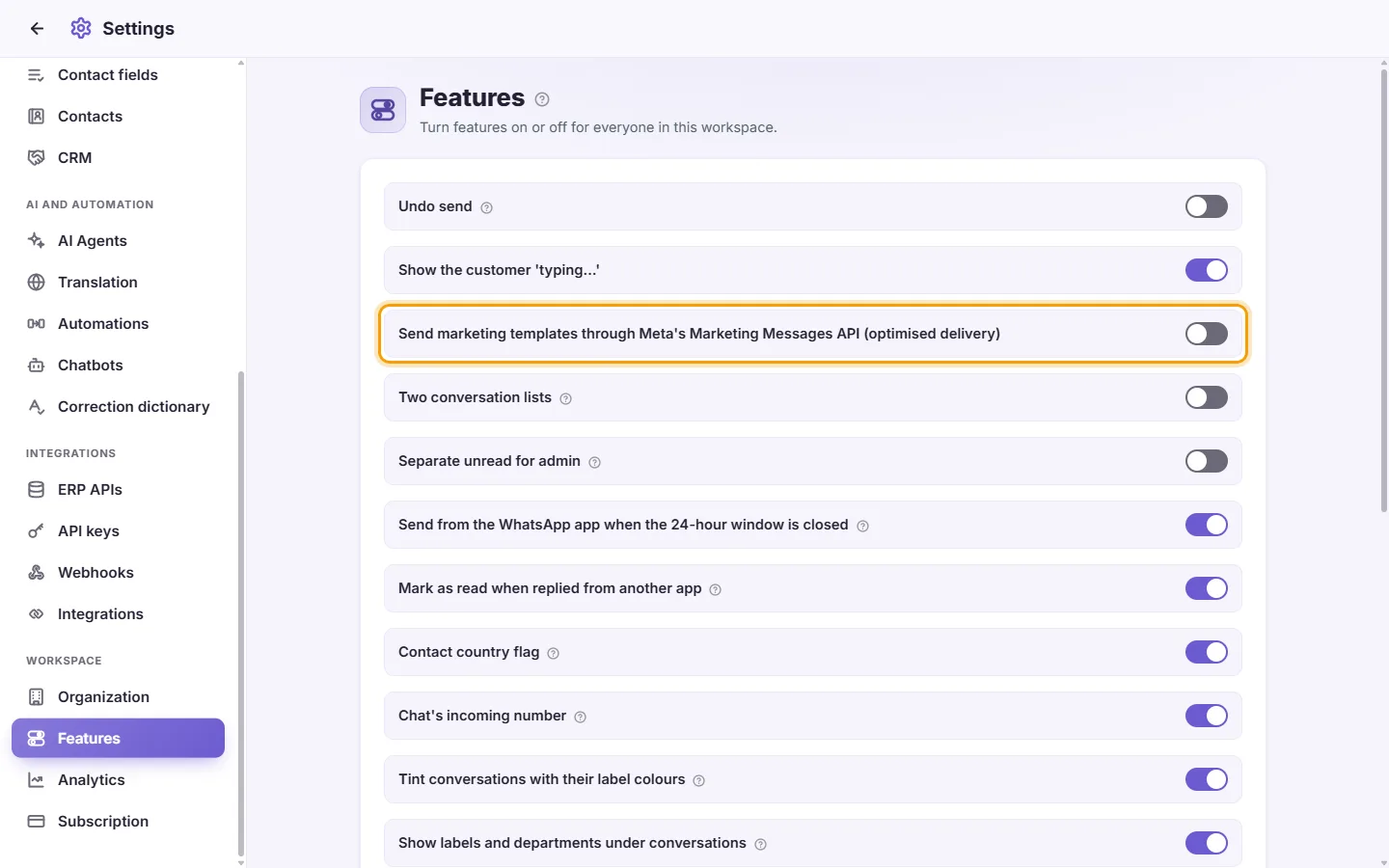
Marketing templates then go through Meta's Marketing Messages API, which Meta says delivers them better. If Meta refuses it for your account, the template is sent the normal way.
Questions
I turned a feature off but someone still sees it.
Ask them to reload SyBox. The setting itself is saved straight away.
Why is translation or transcription off by default?
They use AI on your messages, so each workspace chooses to turn them on.
More about Features.