How do I duplicate an automation in SyBox?
Updated
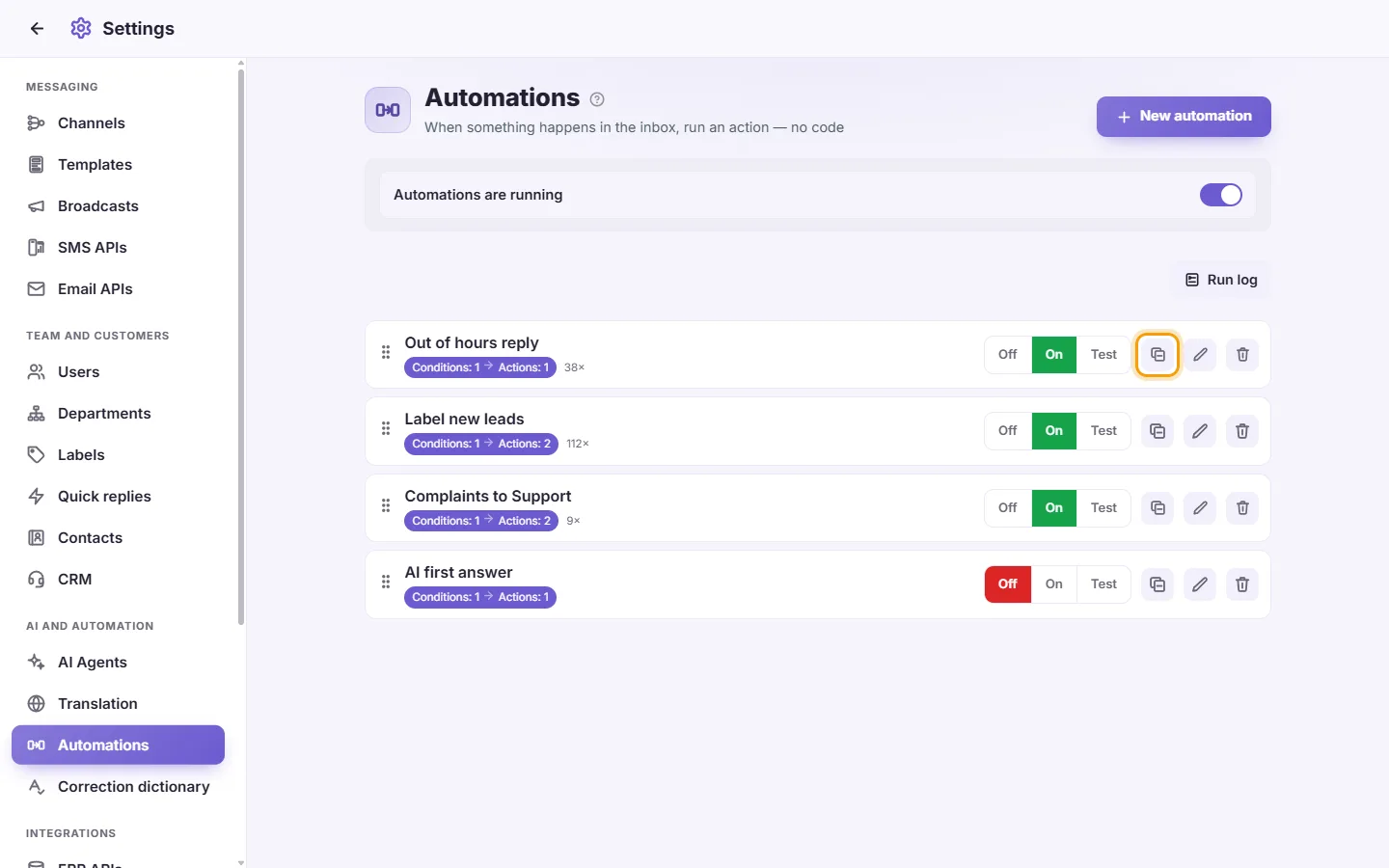
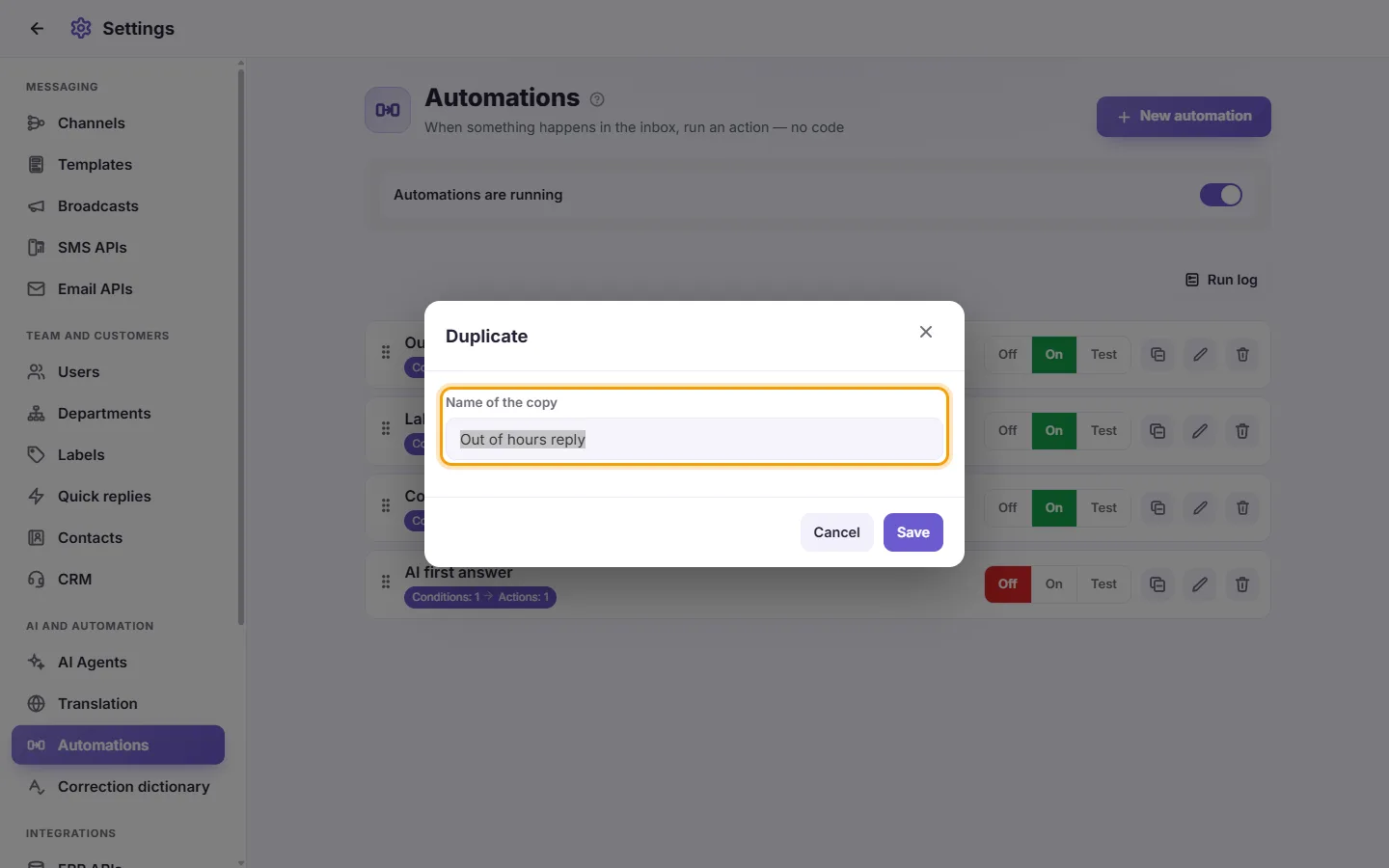
In SyBox, this is done in Settings > AI and automation > Automations. 1) Click "Duplicate" (the copy icon) on the automation's row. 2) Type the "Name of the copy" and confirm. 3) The copy is saved as a new automation, set to Off, so it does nothing until you switch it on. Edit it, then switch it on.
How to duplicate an automation
- Click "Duplicate" (the copy icon) on the automation's row.
- Type the "Name of the copy" and confirm.
- The copy is saved as a new automation, set to Off, so it does nothing until you switch it on. Edit it, then switch it on.
Questions
My automation never runs.
Check that:
- "Automations are running" at the top is on
- the automation's State is "On", not "Test" or "Off"
- an automation higher in the list doesn't have "Stop after this one matches" ticked and catch the message first
- "Rate limit" isn't blocking it.
Then open "Run log" to see what happened.
How do I make the AI answer only on one WhatsApp number?
Create an automation with a "Channel" condition set to "Only" with that number ticked, and the action "Reply with AI" with your agent.
How do I reply automatically outside working hours?
Add a "Business hours" condition set to "is NOT", choose your country, hours and days, and add a "Send a message" action. To avoid repeating the message, tick "Rate limit".
How do I test an automation safely?
Set its State to "Test". It records in the Run log what it would have done, without changing anything or sending anything.
Does the order of automations matter?
Yes. They are checked from top to bottom, and an automation with "Stop after this one matches" stops the ones below it. Drag rows to reorder them.
Can I distribute new leads between my team?
Yes. Use the "Assign in rotation" action and tick the users who should take turns.
More about Automations.