How do I find a screen or a setting in SyBox?
Updated
In SyBox, this is done in Settings > Finding a screen or a setting.
How to find a screen or a setting
- In Settings, click "Search Setup" at the top, or press Ctrl+K or "/". On a phone, tap the search button.
- Type a few letters of what you want. The results are grouped under "Screens", "Settings" and "In this workspace", and the best match is always the first row.
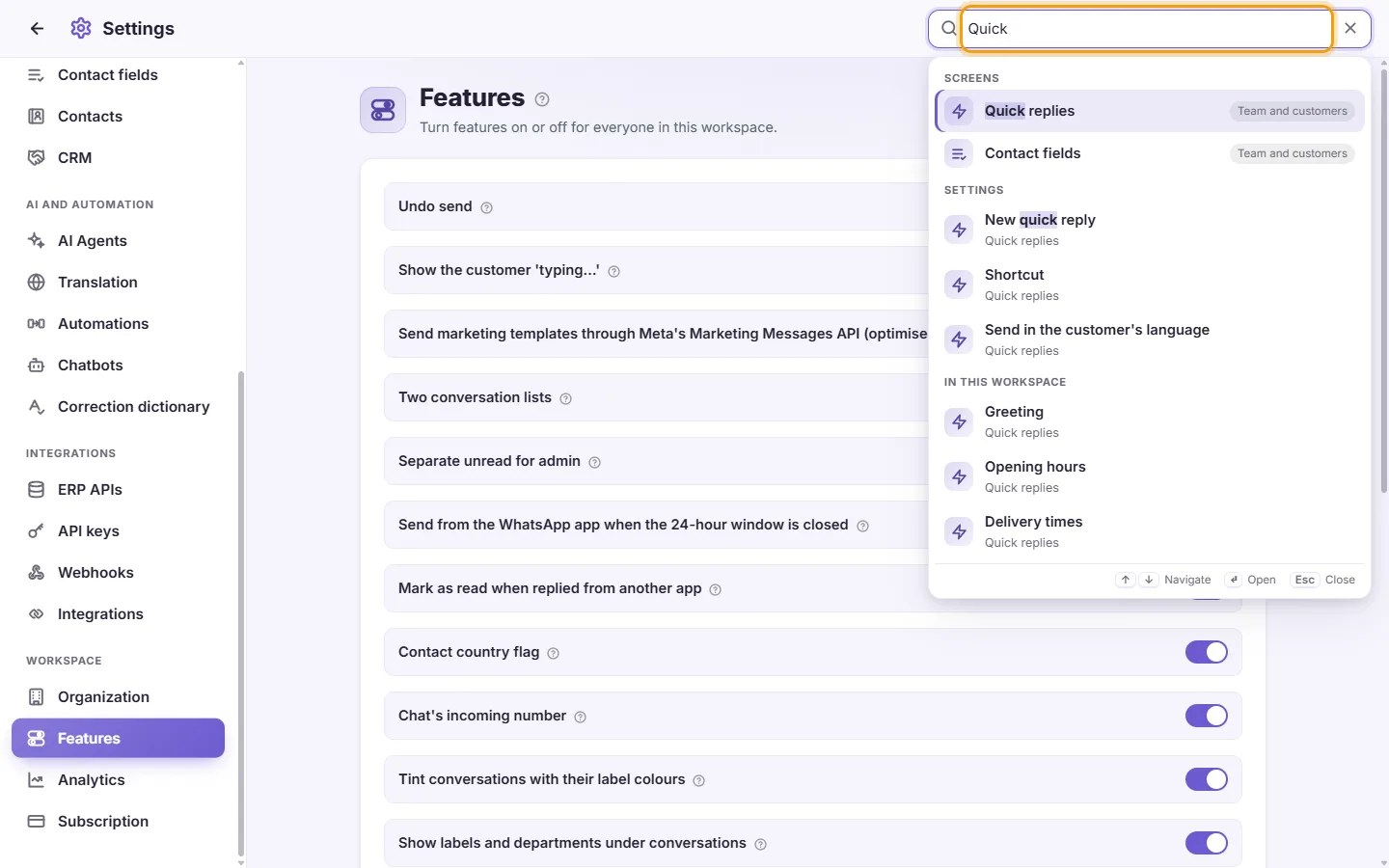
- Click a result, or press Enter to open the first one. SyBox opens that screen, and for a setting it rings the setting for a moment so you see where it is.
With nothing typed, "Recent" lists what you opened last. If nothing is found, "Search the Help Center" looks for your words in this guide. You only find the screens your user is allowed to open. In Arabic, a word is found with or without «ال», and a small spelling slip is forgiven.
More about Finding a screen or a setting.