How do I make a WhatsApp form in SyBox?
Updated
In SyBox, this is done in Settings > Messaging > WhatsApp forms.
How to make a WhatsApp form
- Go to Settings > Messaging > WhatsApp forms and click "New form". A form made in WhatsApp Manager can be brought in with "Sync from Meta" instead.
- Choose the WhatsApp number in "On the WhatsApp number", and type a "Form name (for you)", the "Title the customer sees" and the "Send button".
- Under "Questions", type each "Question (20 letters)" and choose its kind: "Short answer", "Email", "Phone number", "Number", "Long answer", "Dropdown", "One of several" or "Date". For a dropdown or "One of several", type the "Choices, comma between".
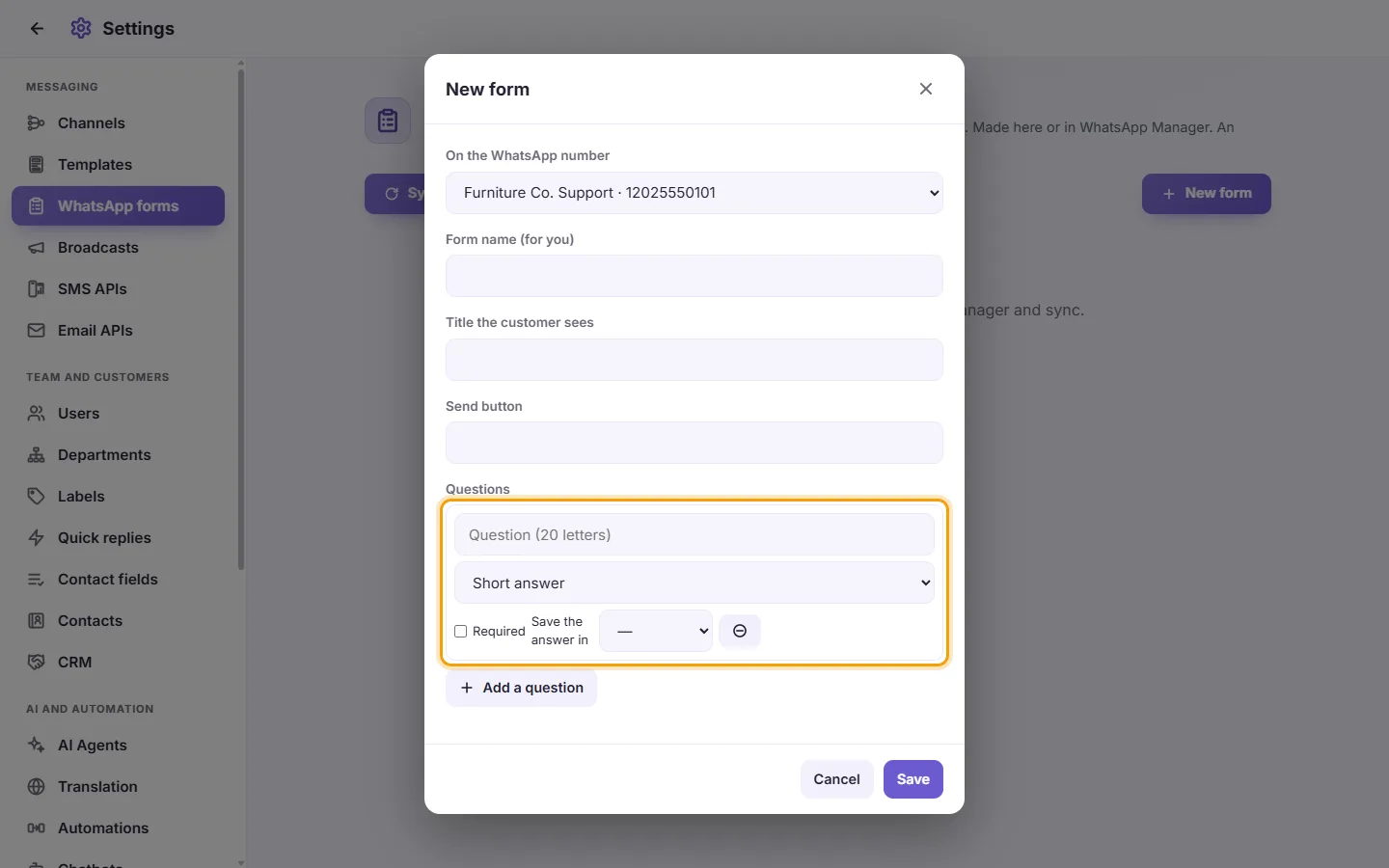
- Tick "Required" if it must be answered, and choose a contact field in "Save the answer in" to keep the answer on the customer (see "Settings > Team and customers > Contact fields"). "Add a question" adds the next one; up to 20.
- Click Save. The form is published to Meta. If Meta refuses it, you see "Meta did not accept this:" and the reason.
Each form shows its status. An unpublished form is dimmed. To change a published form, edit it in WhatsApp Manager, then click "Sync from Meta".
More about WhatsApp forms.