How do I choose what Enter does in SyBox ("Enter is send")?
Updated
In SyBox, this is done in Inbox > Appearance and language. On a computer: Click your picture at the bottom of the left bar and choose "Preferences". Under "Typing", switch "Enter is send" on or off.
How to choose what Enter does ("Enter is send")
- On a computer:
- Click your picture at the bottom of the left bar and choose "Preferences".
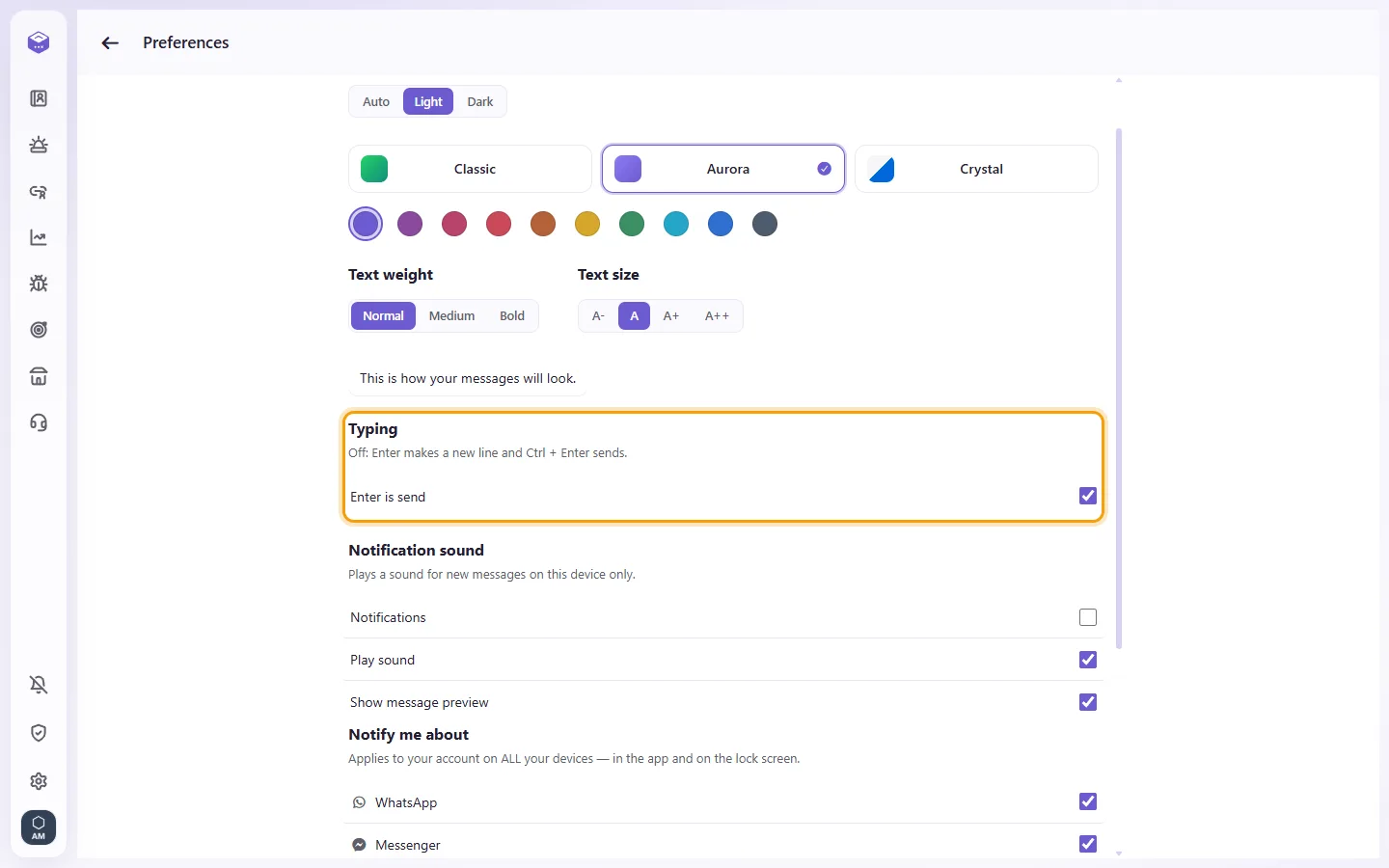
- Under "Typing", switch "Enter is send" on or off.
- On (the default): Enter sends, Shift+Enter makes a new line.
- Off: Enter makes a new line, and Ctrl+Enter (⌘+Enter on a Mac) sends.
It is your own choice, kept for your user on every computer; your colleagues keep theirs. A phone always works as in WhatsApp.
More about Appearance and language.