How do I message a colleague privately in SyBox?
Updated
In SyBox, this is done in Inbox > Team chats: personal messages and the Team room. 1) Click "New chat" at the top of the list. 2) Choose the "Personal message" tab. 3) Pick a colleague from the list, or use "Search colleagues". 4) Write your message. Only you and that colleague can read it.
How to message a colleague privately
- Click "New chat" at the top of the list.
- Choose the "Personal message" tab.
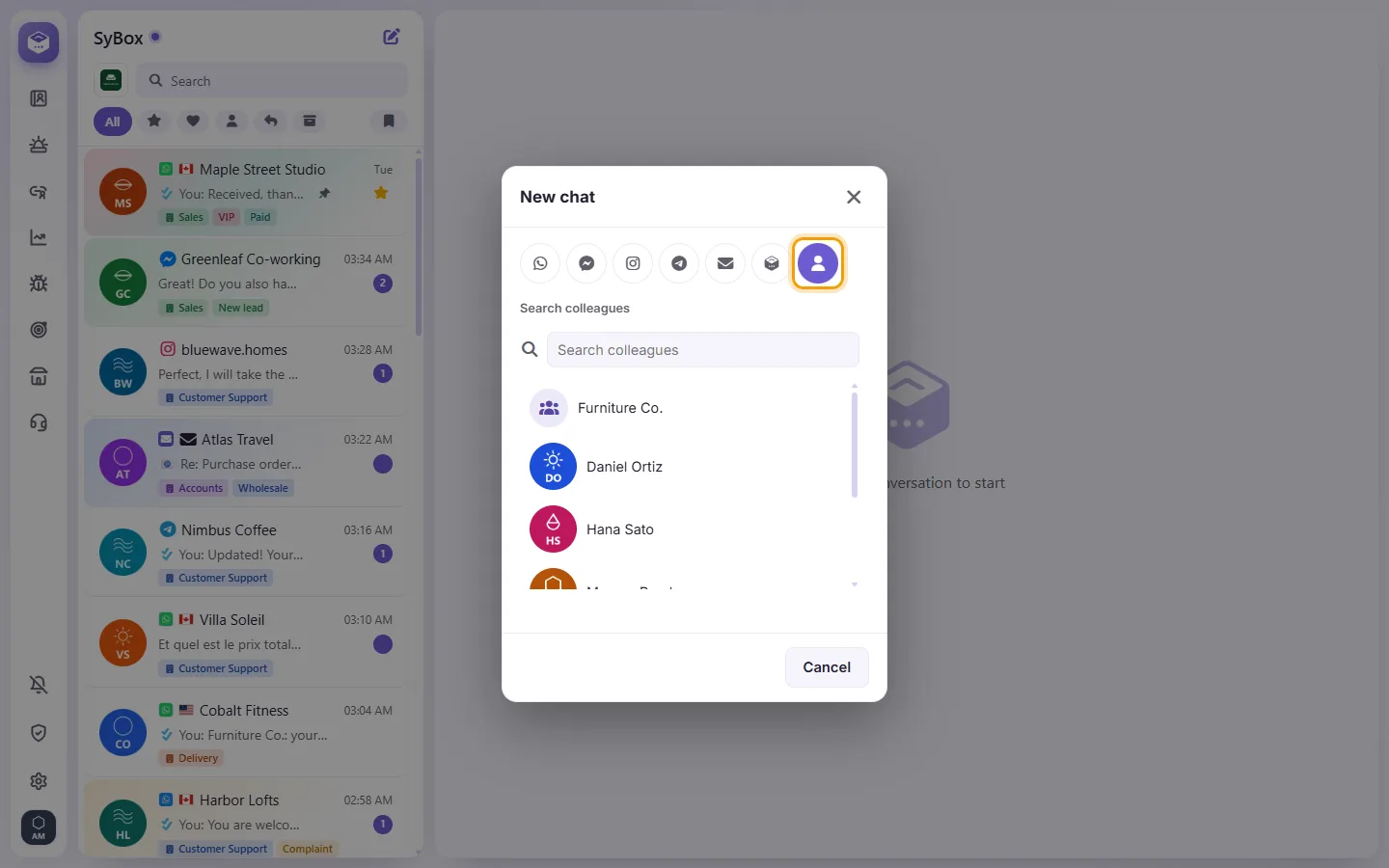
- Pick a colleague from the list, or use "Search colleagues".
- Write your message. Only you and that colleague can read it.
More about Team chats: personal messages and the Team room.