How do I assign a conversation to yourself in SyBox?
Updated
In SyBox, this is done in Inbox > Assigning, departments and labels. 1) Open the conversation. When someone is viewing or the chat is assigned, a strip at the top shows "(name) is viewing this chat" or "Assigned to (name)". 2) Click "Assign to me". To remove it, click "Unassign". 3) For many conversations at once: use "Select", then "More", then "Assign to me".
How to assign a conversation to yourself
- Open the conversation. When someone is viewing or the chat is assigned, a strip at the top shows "(name) is viewing this chat" or "Assigned to (name)".
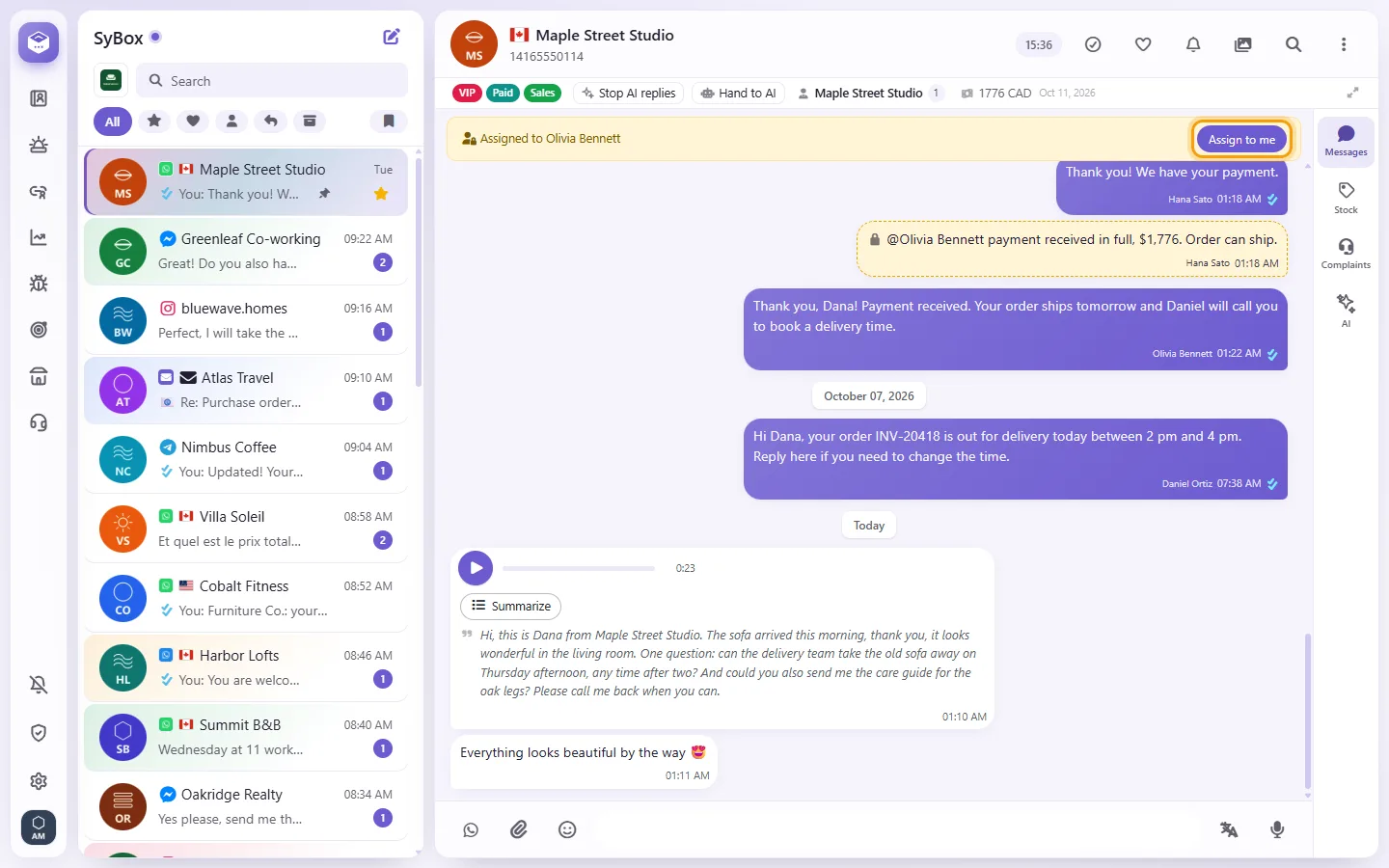
- Click "Assign to me". To remove it, click "Unassign".
- For many conversations at once: use "Select", then "More", then "Assign to me".
Questions
How do I assign a conversation to a colleague?
The inbox has no picker for assigning to another person. Use "Assign to me", or add the conversation to the right department (see below). Your admin can also set up automatic assignment rules in Settings > AI and automation > Automations ("Assign to user" or "Assign in rotation").
More about Assigning, departments and labels.