How do I contact SyBox support?
Updated
In SyBox, this is done in Inbox > Contact support.
How to contact SyBox support
- Click "Contact support" (the headset) in the title above the conversation list, right after your workspace's name.
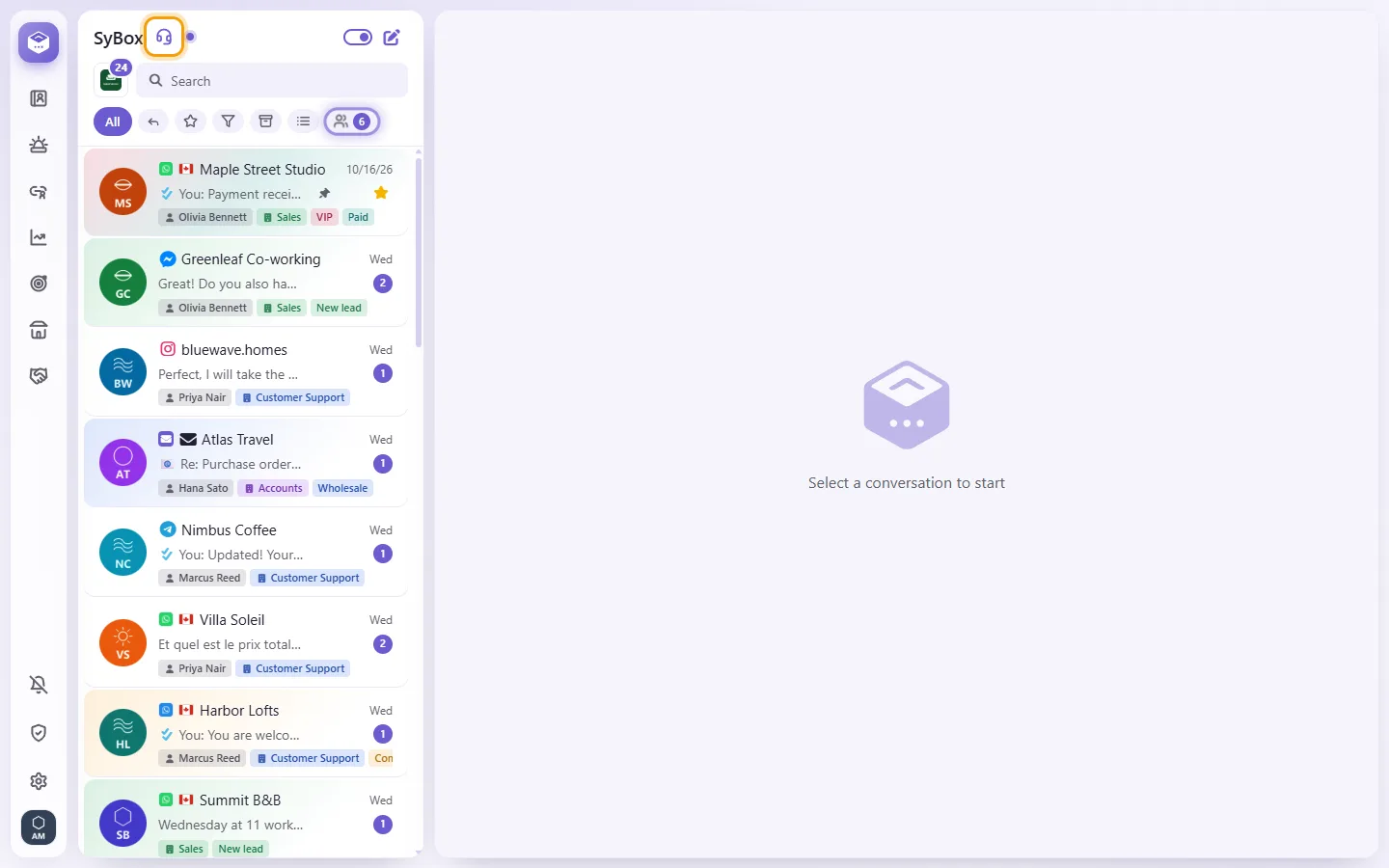
- The "SyBox support" conversation opens, with the verified seal. Nothing is sent until you write.
- Write your question as in any conversation.
- When support answers, the number on the headset shows your unread replies.
The support conversation is never answered by your automations, chatbots or AI agents: a person at SyBox reads it.
In a workspace chat with SyBox, a bar says "You can talk to customer support from here", with a "Contact support" button that opens the same conversation.
More about Contact support.