How do I give a line a short name and a colour in SyBox?
Updated
In SyBox, this is done in Settings > Messaging > Channels (WhatsApp). Every line (a WhatsApp number, a Facebook Page, an Instagram account, a Telegram bot) can carry a short name, shown first on each of its conversations, so your team sees at a glance which line a customer wrote to. Open the line's Edit (the pen) on its card. Type a "Short name" ("Up to 5 letters, shown on each conversation of this line"), for example "SALES". No spaces; Latin letters become capitals. Choose a…
How to give a line a short name and a colour
- Every line (a WhatsApp number, a Facebook Page, an Instagram account, a Telegram bot) can carry a short name, shown first on each of its conversations, so your team sees at a glance which line a customer wrote to.
- Open the line's Edit (the pen) on its card.
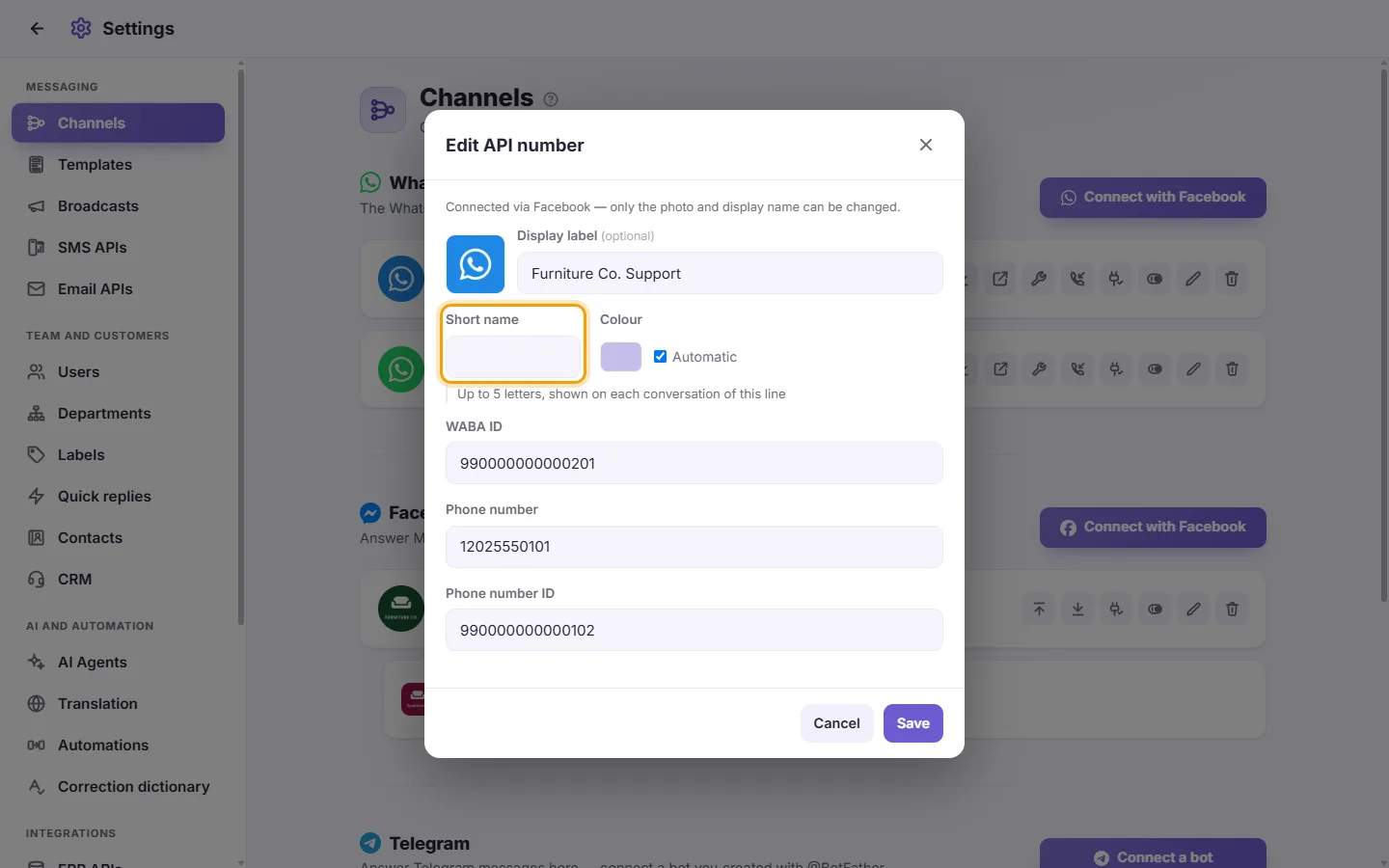
- Type a "Short name" ("Up to 5 letters, shown on each conversation of this line"), for example "SALES". No spaces; Latin letters become capitals.
- Choose a "Colour", or leave "Automatic".
- Click Save.
- Click Save.
The short name is the first chip under each conversation of that line, in the line's colour. A line with no short name shows no chip.
Note: A number connected through Facebook shows "Connected via Facebook — only the photo and display name can be changed." The WABA ID, Phone number and Phone number ID are shown but cannot be edited.
Questions
"Your number" says "Your display name has not been approved yet. Your message limit will increase after the display name is approved." Does that stop my replies?
No. It is a notice from Meta, shown with a tick. Until Meta approves the display name, the number can start only a limited number of new conversations with templates each day. Replies to customers who wrote to you are not limited by it. If replies do not go out, check the payment method on the WhatsApp Business Account (see above). The display name ("Not set", "Under review") is set and approved in your Meta Business account; your number keeps working while you wait.
More about Channels.