How do I manage a group's members in SyBox?
Updated
In SyBox, this is done in Inbox > Team chats: personal messages and the Team room.
How to manage a group's members
- Open the group and click its name in the header. "Group info" opens with its "Members"; a group admin is marked "Group admin".
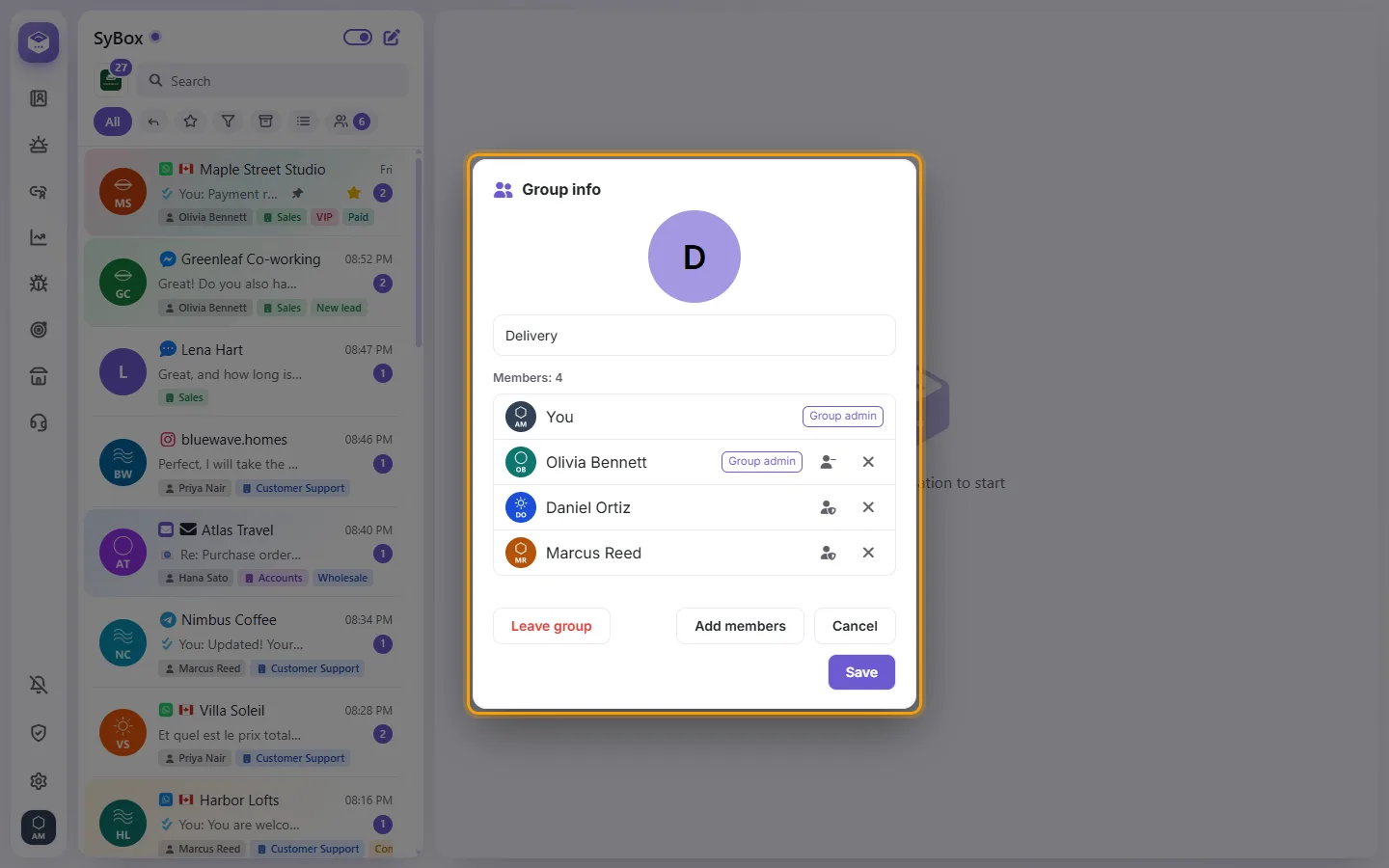
- A group admin can rename the group, use "Add members", and on a member choose "Remove from group", "Make group admin" or "Dismiss as admin".
- Anyone can click "Leave group" ("Leave this group? You will stop seeing its messages."). When the last group admin leaves, the member who has been in the group longest becomes its admin.
More about Team chats: personal messages and the Team room.