How do I see and answer comments on your Page and Instagram posts in SyBox?
Updated
In SyBox, this is done in Settings > Messaging > Channels (Facebook & Instagram). Comments people write on your Facebook Page's posts and your Instagram posts arrive in the inbox, on two channels of their own: "Facebook Comments" and "Instagram Comments". There is nothing to switch on: a connected Page brings them. Each person who comments has one conversation, whatever post they comment on. Each comment shows "On post:" with the post's first words, and a "View post" link. A reply to another…
How to see and answer comments on your Page and Instagram posts
- Comments people write on your Facebook Page's posts and your Instagram posts arrive in the inbox, on two channels of their own: "Facebook Comments" and "Instagram Comments". There is nothing to switch on: a connected Page brings them.
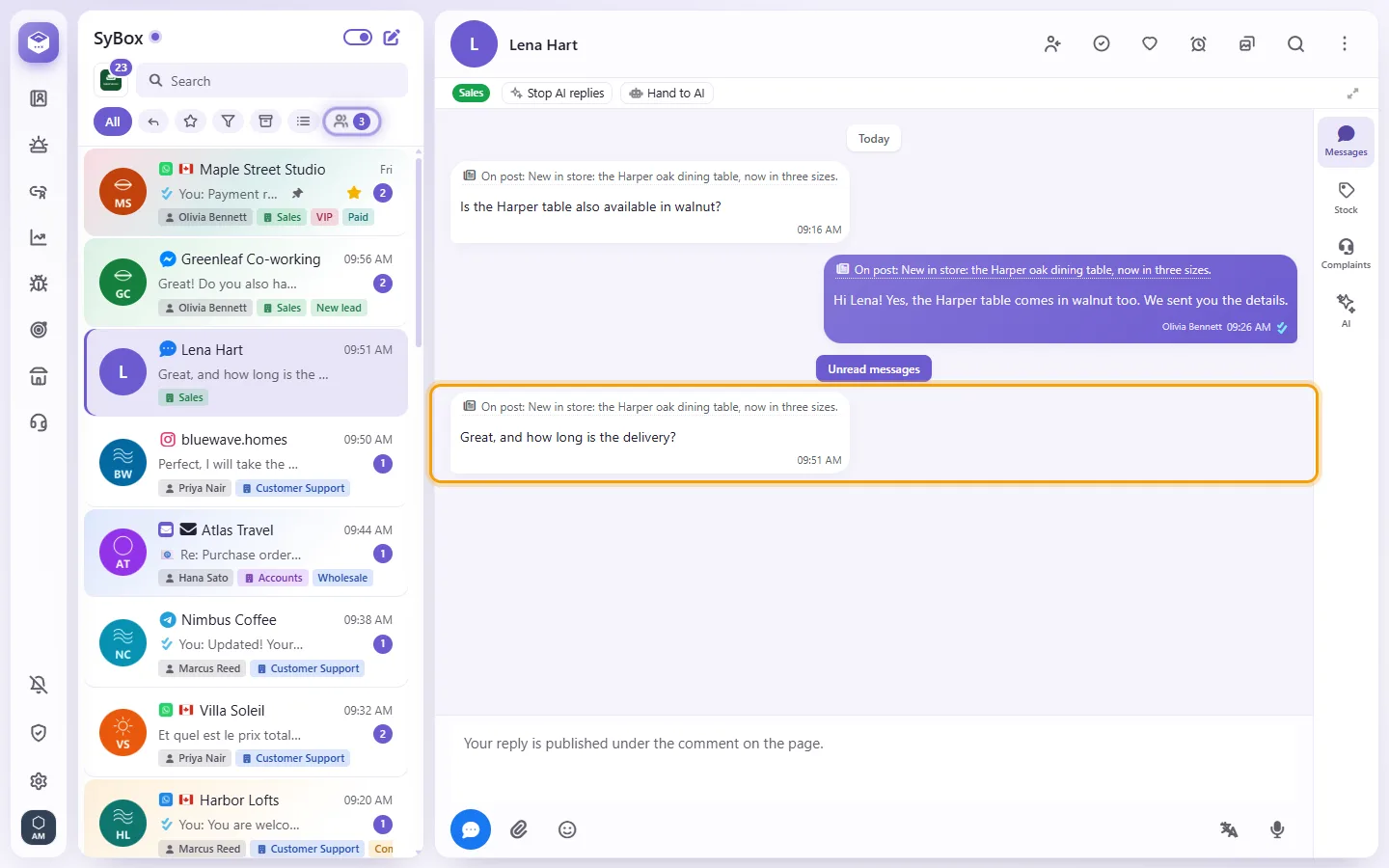
- Each person who comments has one conversation, whatever post they comment on. Each comment shows "On post:" with the post's first words, and a "View post" link.
- A reply to another comment quotes it. An edited comment shows "edited"; a deleted one stays, marked "This comment was deleted."
- What you type is published as a public reply under the comment on the Page ("Your reply is published under the comment on the page."). Comments have no 24-hour window.
- To answer privately, open the comment's menu and choose "Reply privately". Meta allows one private reply per comment; the talk then continues in Messenger or Instagram messages, and a note says so: "A private reply was sent — the conversation continues on Messenger" (or Instagram).
- Replies your Page writes from Meta Business Suite or the phone appear too. Assigning, automations, AI agents, CRM, notifications and Analytics work with comments as with any channel.
Questions
My Page sends messages but does not receive them. What do I do?
Click Check status. If the subscription line shows a problem, click "Connect with Facebook" again and tick that same Page. Connecting it again repairs the connection.
I removed my last Page and SyBox asks "Fully disconnect from Facebook?"
Your Facebook account still has other Pages connected, possibly in another workspace. "Disconnect everything" removes access to all of them. Cancel keeps them.
More about Channels.