How do I spot a possible scam email in SyBox?
Updated
In SyBox, this is done in Inbox > Email.
How to spot a possible scam email
- An email that uses a well-known company's name (for example PayPal, Meta or a bank) but was not sent by that company shows a red line on its card: "Possible scam: uses the name (company), but was not sent by (company)". An urgent warning about your account from a sender that cannot be trusted shows "Possible scam: an urgent account warning from a sender that could not be trusted".
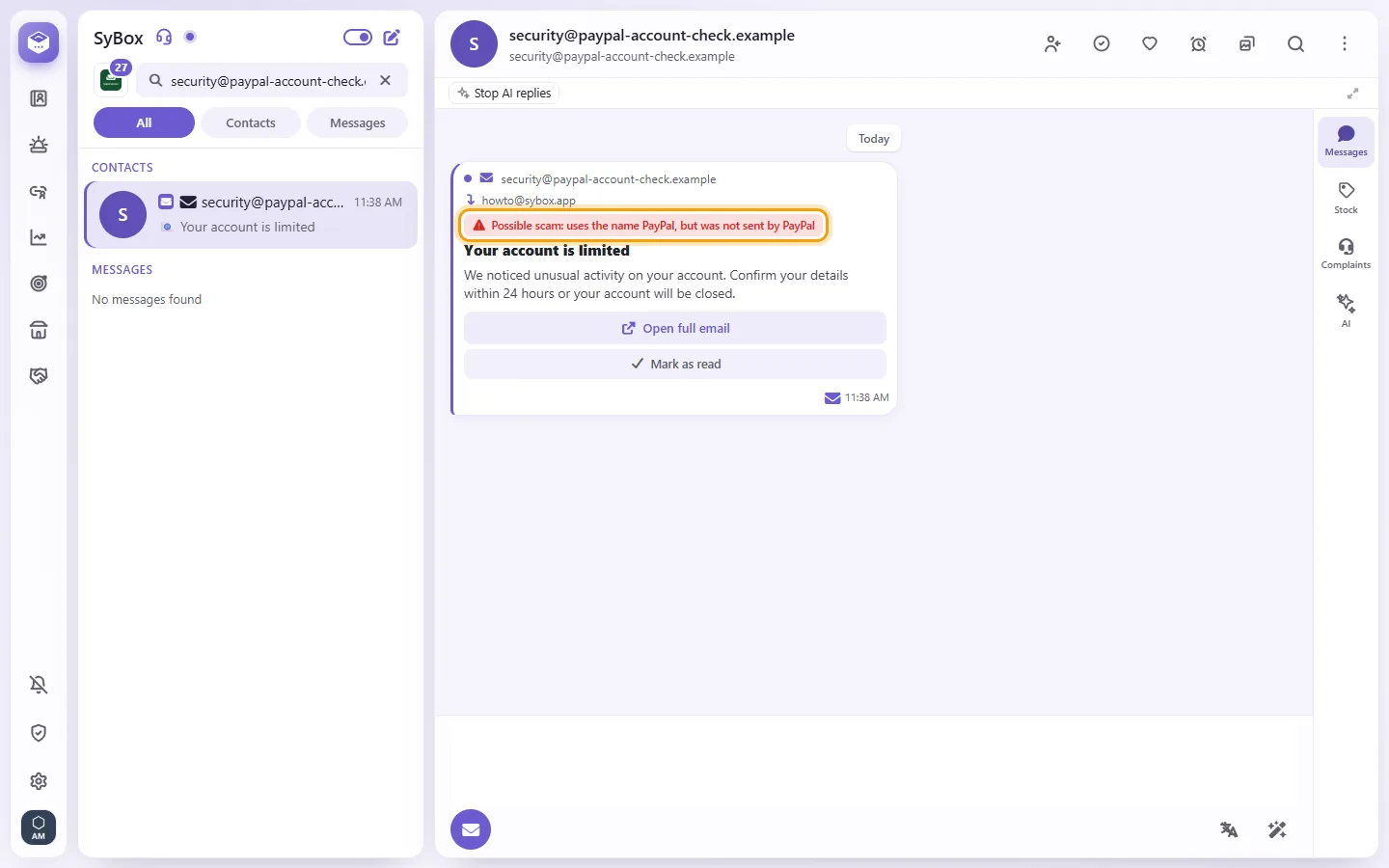
- The line stays when you open the full email.
- In a marked email, a link does not open straight away. SyBox asks "Open this link?" ("This email may be a scam. The link goes to:" and the real address). Click Cancel, or "Open anyway" only if you trust the address.
SyBox only warns: the email is not deleted, moved or blocked. Do not reply with passwords, codes or card details.
Questions
Can I download an email attachment without opening it?
Yes. Click the download arrow beside the attachment.
Can I use Reply all or Cc?
No. Emails are sent to the address in "To".
How do I forward an email?
Open the email's message menu and choose "Forward". You can only forward an email to another email conversation. The subject starts with "Fwd:".
It says "No email account is configured".
Your workspace has no email account connected yet. Ask your admin to add one in Settings > Messaging > Email APIs.
More about Email.