How do I get notifications from only some of your lines in SyBox?
Updated
In SyBox, this is done in Inbox > Notifications and sound.
How to get notifications from only some of your lines
- Open "Preferences" and go to "Notify me about".
- Under a channel that is switched on and has two lines or more (WhatsApp numbers, Facebook Pages, Instagram accounts, Telegram bots, Live Chat websites, TikTok accounts, or the comment channels), choose "All", "Only" or "Except".
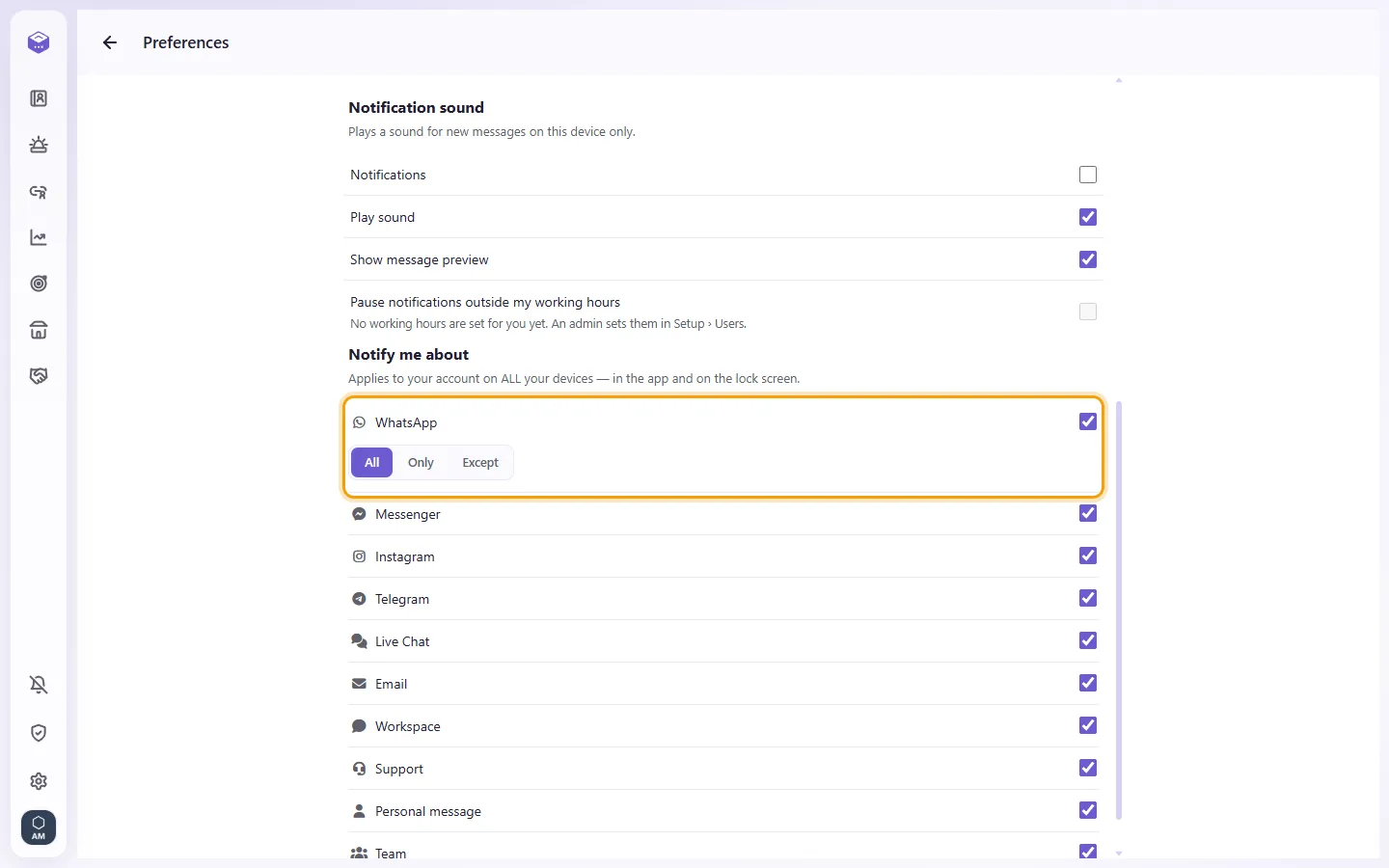
- For "Only" or "Except", tick the lines.
It applies to every notification: on the lock screen (browser and app), the banner in SyBox, the sound and the flashing tab title. Mentions always notify you, whatever the line. A message that has no line (an SMS, a case) always notifies. To silence a whole channel, switch it off.
Questions
I don't get notifications.
Check these in order:
1. Is the bell on? If you see "Notifications are blocked in your browser settings", open your browser's site settings, allow notifications for SyBox, and reload the page.
2. If you see "Permission not granted", you closed the browser's question. Click the bell again and choose Allow.
3. Is the channel switched on under "Notify me about" in Preferences?
4. Is the conversation muted? Mute applies to the whole team.
5. You don't get a notification for a chat you are looking at right now.
6. If you see "This browser doesn't support notifications", use another browser or install the app.
I turned on sound but hear nothing.
If you see "Sound is on, but notifications are off — you will not hear it.", turn notifications on with the bell.
I get each notification twice.
Make sure SyBox is open only once on that device, and update to the latest version of the page or app.
More about Notifications and sound.