How do I snooze a conversation in SyBox?
Updated
In SyBox, this is done in Inbox > The conversation list.
How to snooze a conversation
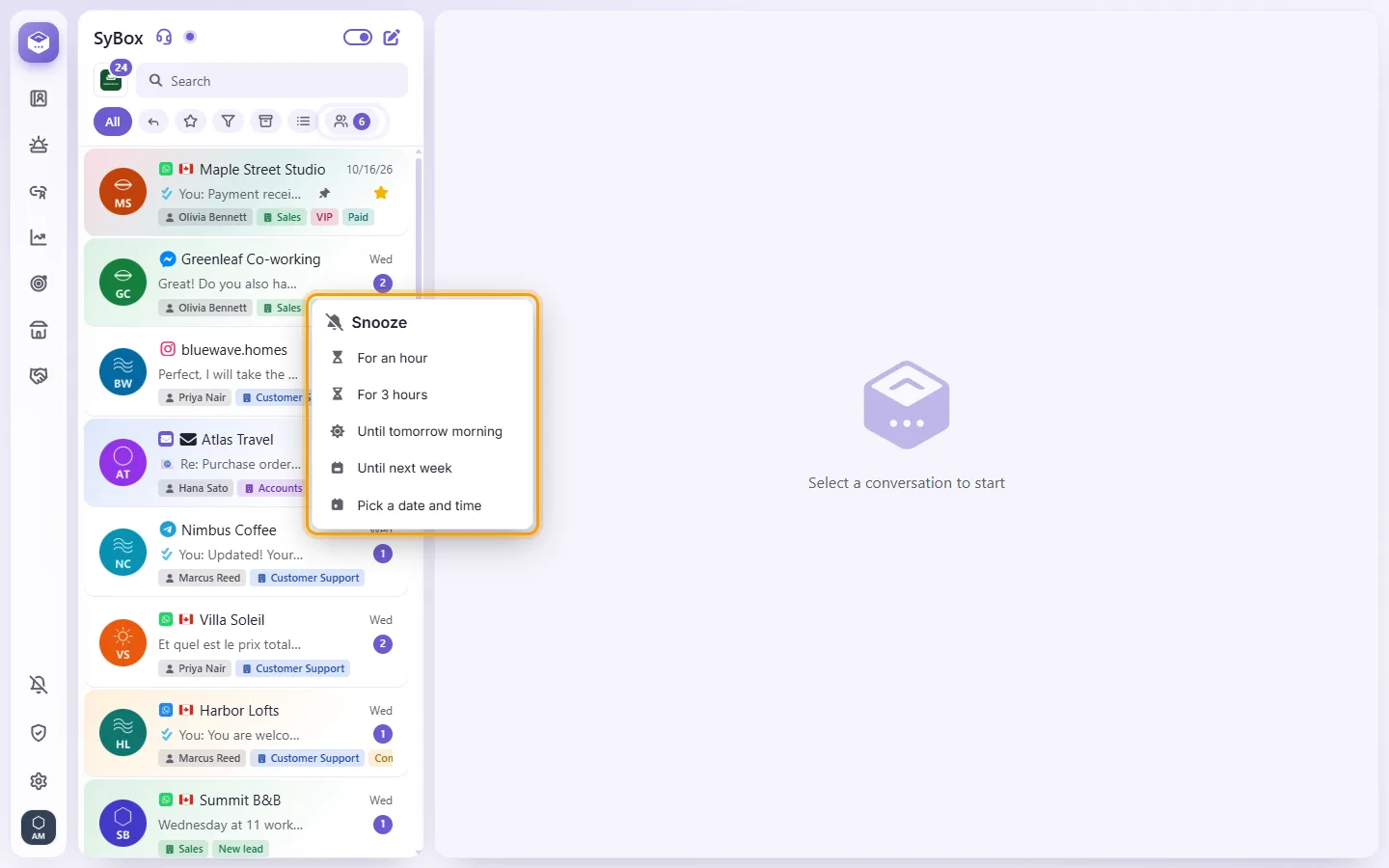
- Open the conversation's menu and choose "Snooze".
- Choose for how long: "For an hour", "For 3 hours", "Until tomorrow morning" (9:00), "Until next week" (Monday 9:00), or "Pick a date and time".
- "Snoozed until (date). It comes back sooner if a new message arrives."
The conversation leaves the list until then. When the time comes, or the customer writes, it comes back to the top with a note "⏰ Snooze ended". A snooze is for the whole team, like the archive, and needs the "Archive conversation" or "Temp-archive conversation" permission.
To see your snoozed conversations, open "More filters" and choose "Snoozed". To wake one early, open its menu there and choose "End snooze".
Questions
How do I mark a conversation as unread?
There is no "Mark as unread" option. A conversation is marked as read when you open it or mark it as finished.
Is there an "Unread" filter?
No. Unread conversations show a number on their row. Use "Awaiting reply" to find conversations where the customer wrote last.
What is the difference between Star and Favorites?
A star on a customer conversation is shared, so the whole team sees it. Favorites (the heart) and Pin are personal: only you see them.
If I delete a conversation, is it only deleted for me?
No. Delete conversation removes it for the whole team on every device, so use it with care. To just tidy your view, use Archive or Temporary archive.
A notification arrived, but I can't find the new conversation in my list.
Your list is probably on a filter, such as Star or Favorites. Click "All" and the conversation will be there.
More about The conversation list.