How do I ask a customer for their location in SyBox?
Updated
In SyBox, this is done in Inbox > Sending messages.
How to ask a customer for their location
- In a WhatsApp conversation, click the paperclip and choose "Ask for location".
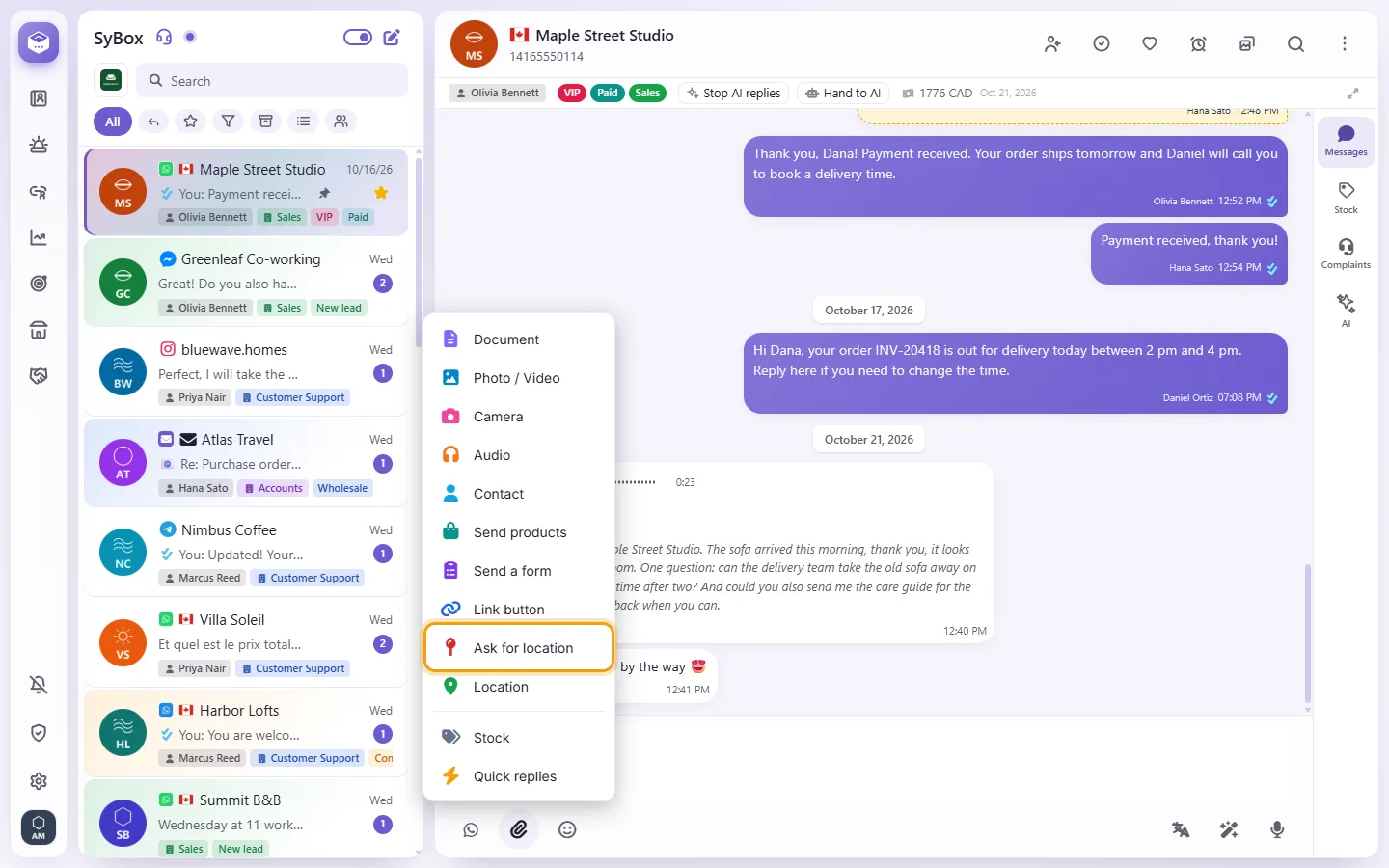
- Write your request, or leave it empty to send "Please share your location.".
- Click Send. The customer gets a button that opens their map; the location they send back shows on a map in the conversation, as usual.
Both work inside the 24-hour window, like any message, and cost nothing.
Questions
What happens when a customer sends me a location?
It shows on a map in the conversation. You can click "Save location" to store it on the contact; the next time you send a location to this customer, the map opens there.
Why is there no paperclip?
You may not have permission to send media. SMS conversations are text only, and email uses its own "Attach files" button.
More about Sending messages.