How do I send products from your catalog in SyBox?
Updated
In SyBox, this is done in Inbox > Sending messages.
How to send products from your catalog
- In a WhatsApp conversation, click the paperclip and choose "Send products".
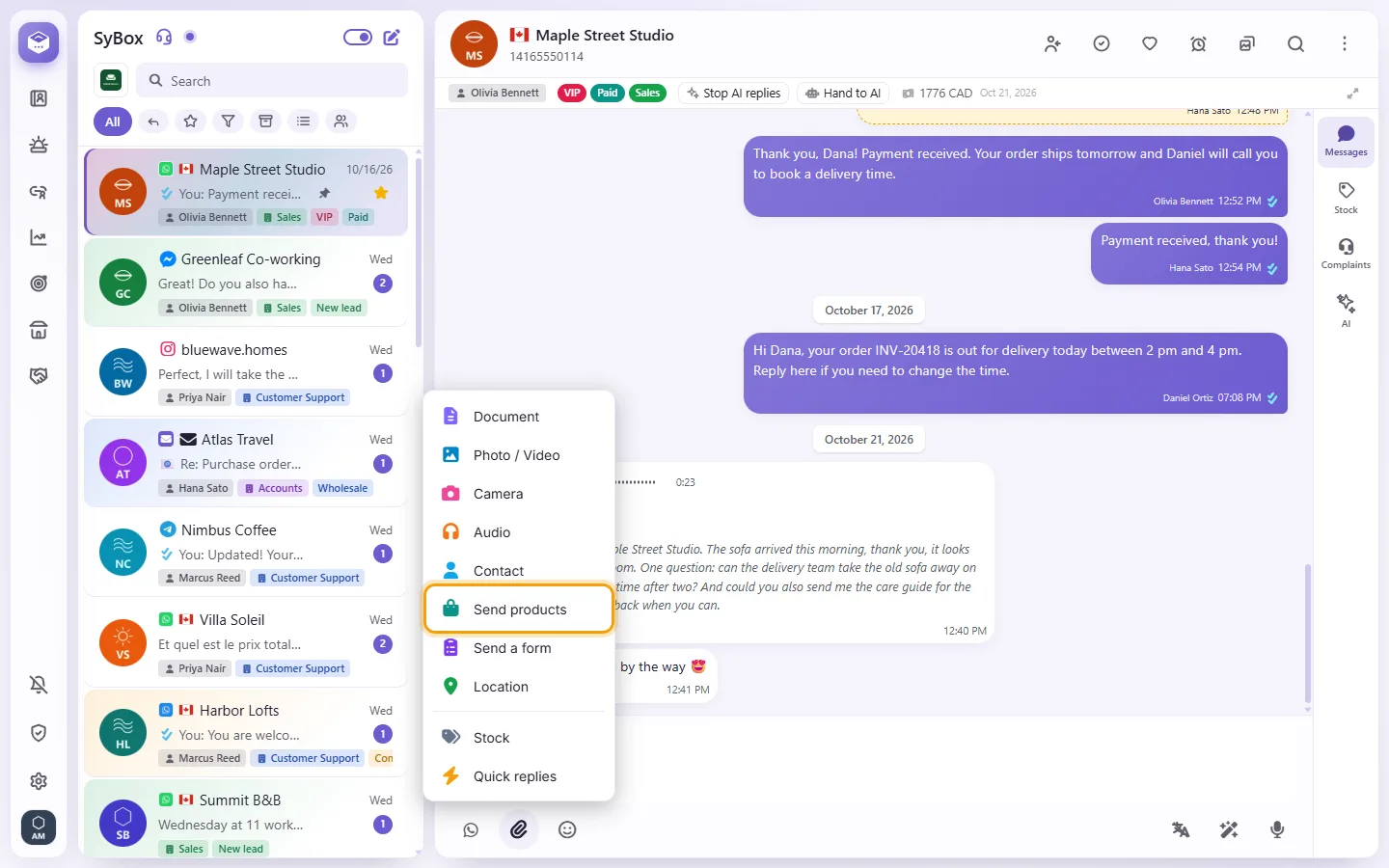
- Search and tick the products (from one catalog, up to 30). Add a "Message (optional)" if you want; with several products, type a "Title (several products)".
- Click "Send". One product goes as WhatsApp's product card; several go as a product list the customer can browse and order from.
Only products SyBox already knows are listed: ones customers ordered or asked about, or ones added on the Products screen ("Add product" with the "Catalog ID (from Meta Commerce Manager)", the "Content ID / SKU (as in the catalog)" and the "Name"). Products can be sent only inside the 24-hour window.
Questions
What happens when a customer sends me a location?
It shows on a map in the conversation. You can click "Save location" to store it on the contact; the next time you send a location to this customer, the map opens there.
Why is there no paperclip?
You may not have permission to send media. SMS conversations are text only, and email uses its own "Attach files" button.
More about Sending messages.