How do I improve a message with AI in SyBox ("Write with AI")?
Updated
In SyBox, this is done in Inbox > Sending messages.
How to improve a message with AI ("Write with AI")
- Type your message in the box.
- Click the ✨ button ("Write with AI") beside the box and choose: "Fix spelling and grammar", "Make it formal", "Make it friendly", "Make it shorter", or "Write a full reply from my notes".
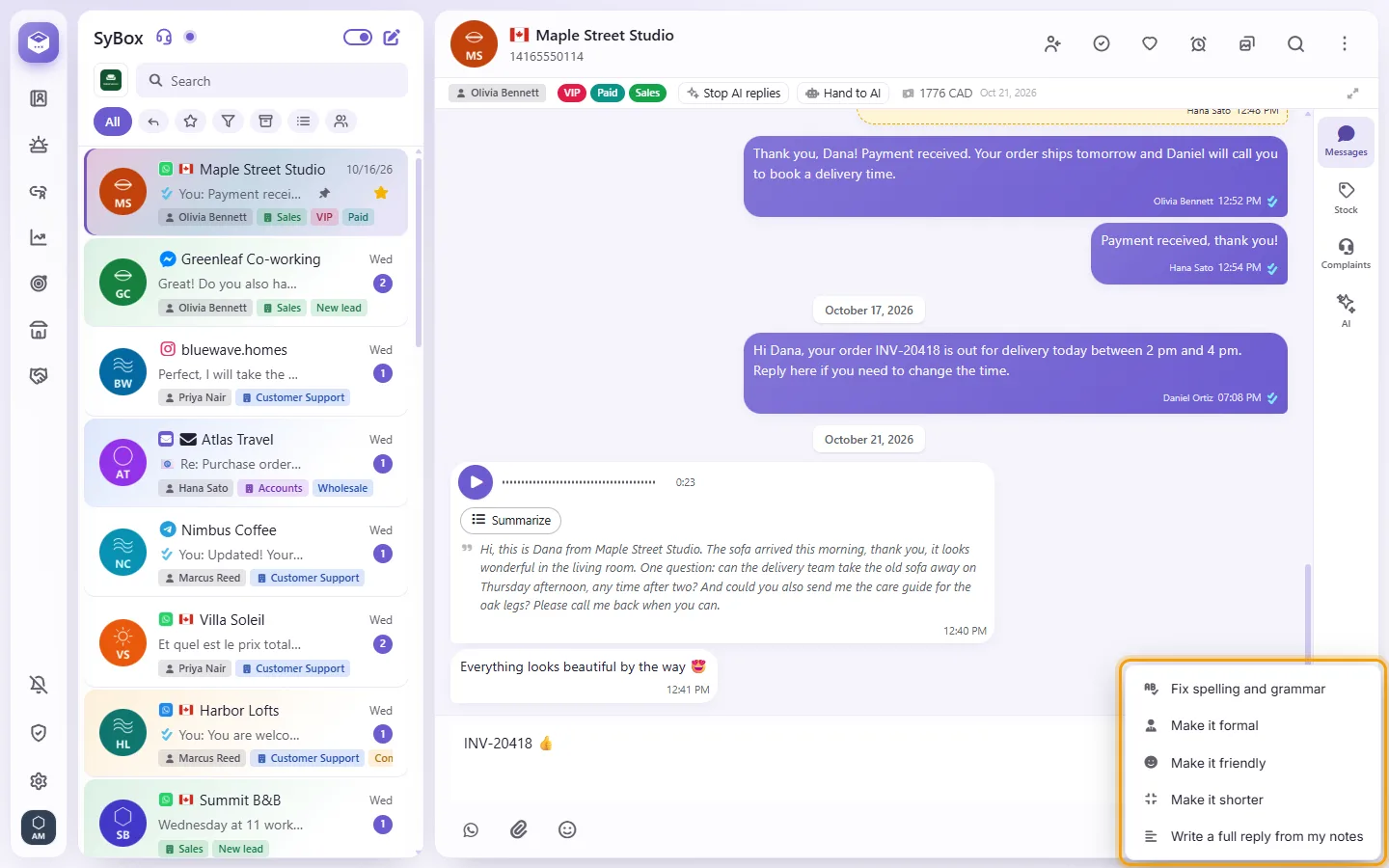
- The AI's version replaces your text in the box. Read it, change it if you want, and send. Ctrl+Z (⌘+Z) brings your own text back.
The AI keeps the message's language, names, numbers and links. With an empty box: "Write your message first, then AI can improve it." Your admin chooses which model writes in Settings > AI and automation > Translation, "Write with AI using".
Questions
What happens when a customer sends me a location?
It shows on a map in the conversation. You can click "Save location" to store it on the contact; the next time you send a location to this customer, the map opens there.
Why is there no paperclip?
You may not have permission to send media. SMS conversations are text only, and email uses its own "Attach files" button.
More about Sending messages.