How do I hand a conversation back to the Page inbox in SyBox?
Updated
In SyBox, this is done in Settings > Messaging > Channels (Facebook & Instagram).
How to hand a conversation back to the Page inbox
- In a Messenger or Instagram conversation, open the conversation menu.
- Click "Hand back to the Page inbox". You see "Handed back to the Page inbox".
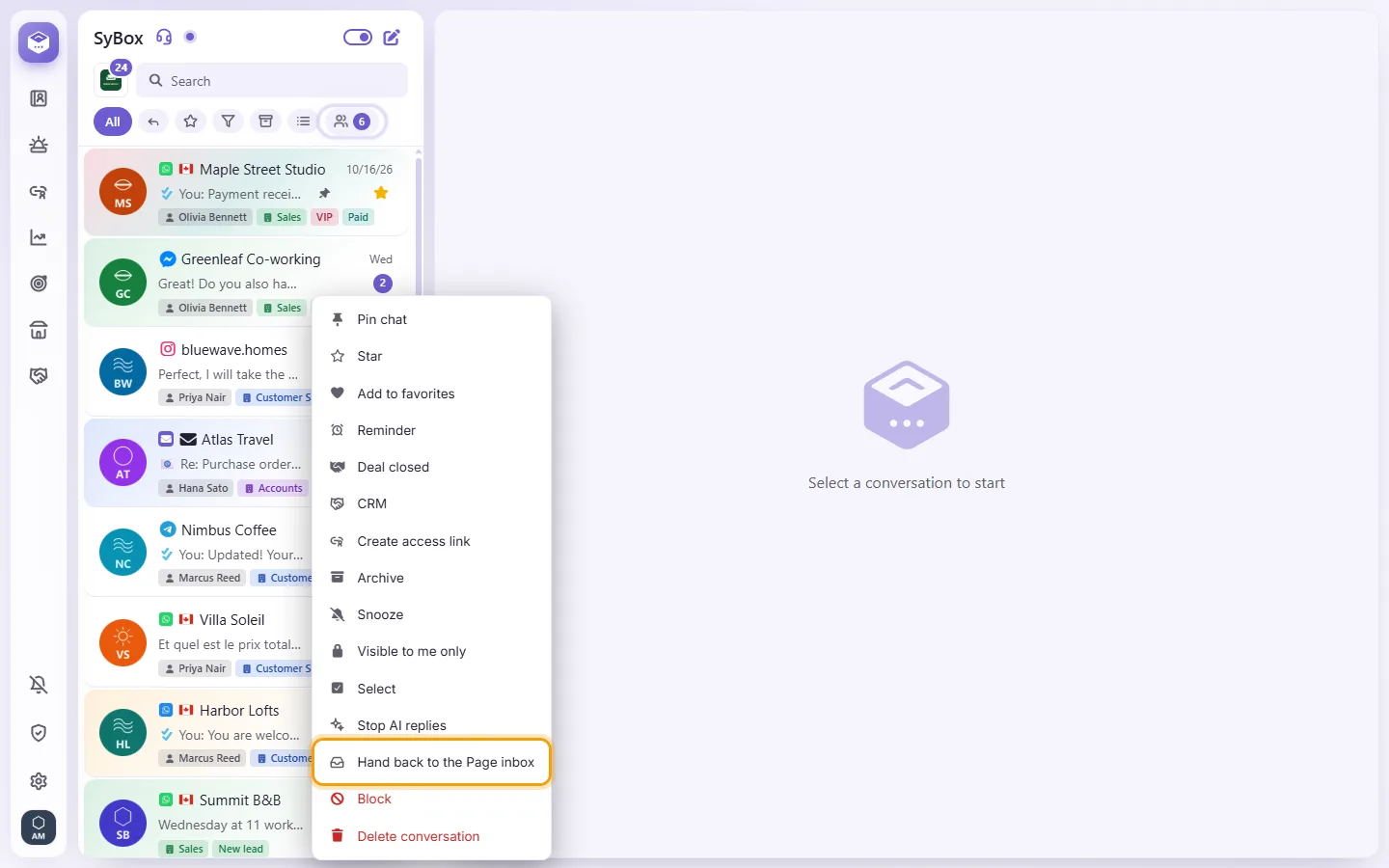
The conversation moves to your Page's own inbox in Meta Business Suite, and a note in the thread says so. SyBox does not take it back on its own; its messages still show here, and once someone replies from SyBox it comes back. This needs the Page's Conversation Routing to be set up in Meta Business Suite.
Questions
My reply to a comment says "This comment was deleted or hidden on Facebook, so it can't be answered any more." Why?
The customer deleted the comment, or it was hidden on the Page, before your reply went out. Facebook and Instagram accept no reply to it. The reason shows once, under your reply; the comment is marked deleted. To reach the customer, write to them in Messenger or Instagram messages if they have written to you there.
My Page sends messages but does not receive them. What do I do?
Click Check status. If the subscription line shows a problem, click "Connect with Facebook" again and tick that same Page. Connecting it again repairs the connection.
I removed my last Page and SyBox asks "Fully disconnect from Facebook?"
Your Facebook account still has other Pages connected, possibly in another workspace. "Disconnect everything" removes access to all of them. Cancel keeps them.
More about Channels.